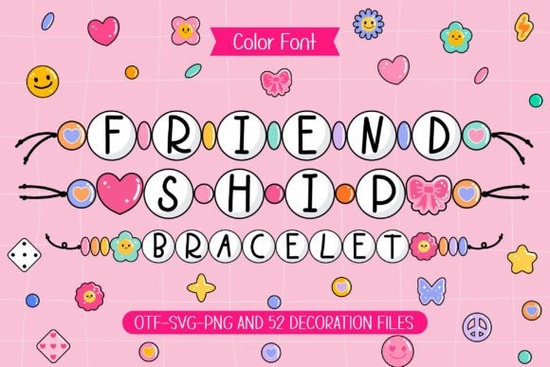
If you’ve ever made or received a friendship bracelet, you know there’s something special about those little beaded strands they’re not just accessories, they’re keepsakes. That same warm, handmade feeling is what you get with the Friendship Bracelet Font. Designed to mimic the look of colorful beads strung together, this font brings a cheerful, nostalgic vibe to your projects without needing glue, thread, or tiny plastic beads.
Whether you’re personalizing tote bags for a summer camp fundraiser, designing birthday cards for your Etsy shop, or just adding flair to your kid’s scrapbook, this font feels like a hug in type form. It comes with an OTF file and matching doodle cliparts think hearts, stars, and smiley faces so you can mix and match visuals with text for even more charm.
What kinds of projects work best with this font?
This isn’t a font for corporate reports or minimalist logos. It shines when you want to add personality and playfulness. Here’s where it fits naturally:
- Craft t-shirts and hoodies Pair it with phrases like “Best Friends Since Kindergarten” or “Squad Goals” for instant appeal.
- Scrapbooking and memory books Use it for captions, dates, or little notes next to photos.
- Printable party decor Think banners, cupcake toppers, or favor tags for birthdays, sleepovers, or graduation parties.
- DIY gift tags and greeting cards Especially great for Mother’s Day, Valentine’s, or “just because” notes.
- Small business branding If you run a kids’ craft studio, a summer camp, or sell handmade goods, this font adds approachable energy to your labels or social media graphics.
If you like the handmade aesthetic but want something a little bolder, you might also enjoy browsing Groovy Crayon another fun option that pairs well with casual, creative themes.
How do I use the doodle cliparts that come with it?
The included cliparts are simple vector-style doodles things like bows, flowers, and confetti bursts designed to complement the beaded letters. You can resize them without losing quality, layer them behind or beside your text, or even scatter them as background elements. They’re especially handy if you’re not confident drawing your own embellishments or want to keep your design process quick and cohesive.
Tip: Try placing a small heart doodle right after a name (“Emma ♥”) or using star clusters as bullet points in a list. These little touches make your design feel intentional and full of character.
Is this font easy to install and use?
Yes. The font file is OTF (OpenType), which works smoothly in most design software Canva, Adobe Illustrator, Photoshop, Silhouette Studio, Cricut Design Space, and even Microsoft Word. Installation is the same as any other font: download, unzip, double-click the file, and click “Install.” Once it’s in your system, it’ll show up in your font menu like any standard typeface.
No plugins or special tools required. And since it’s a single-weight font, there’s no confusion over which style to pick just open, type, and watch your words turn into beaded art.
Can I use this for commercial projects?
Absolutely. Like most fonts from Creative Fabrica, the Friendship Bracelet Font comes with a commercial license. That means you can use it on products you sell whether it’s printed mugs, embroidered hats, digital printables, or vinyl decals. Just avoid redistributing the font file itself or claiming you designed it.
For crafters and small shops, that flexibility is huge. You’re not just buying a font you’re getting a tool that can grow with your business.
What if I want more colorful fonts like this?
You’re not alone. There’s a whole collection of playful, texture-rich fonts over at Friendship Bracelet Font & Colorful Fonts that share the same spirit think chalkboard scribbles, watercolor brush strokes, or glitter effects. Browsing that category is a great way to find backup options or complementary styles for seasonal projects.
And if you’re still exploring, don’t miss Groovy Crayon Font it’s got that childlike energy but with a slightly rougher, hand-drawn edge that works great for posters or classroom decor.
Quick checklist before you start designing:
- Install the font first Don’t forget to restart your design app after installing.
- Pair with simple backgrounds Let the beads pop by avoiding busy patterns.
- Use the doodles intentionally A few well-placed icons beat a cluttered page.
- Test print or mockup Especially if you’re cutting vinyl or printing fabric, check how the fine bead details translate.
- Save your work in layers Keep text and doodles on separate layers for easy edits later.
Start small maybe a sticker sheet or a single greeting card and see how the font feels in your workflow. Sometimes the most joyful designs come from the simplest tools.
Explore Design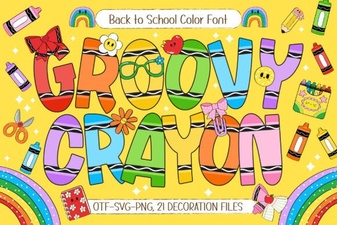 Groovy Crayon Font for Fun & Creative Projects
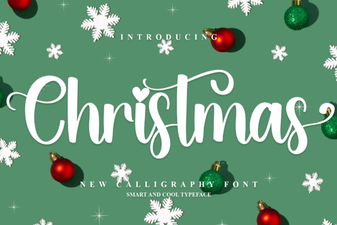 Designer Christmas Fonts for Seasonal Projects
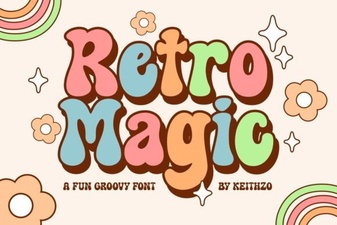 Retro Magic Fonts for Nostalgic Digital Designs
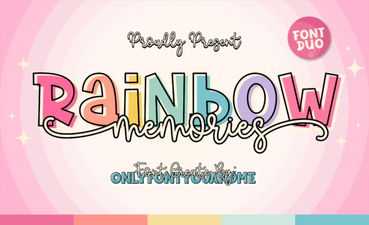 Rainbow Memories Font: Design & Usage Guide
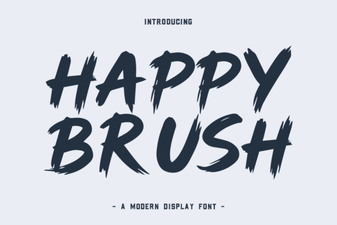 Happy Brush Font: Friendly Handwriting Styles
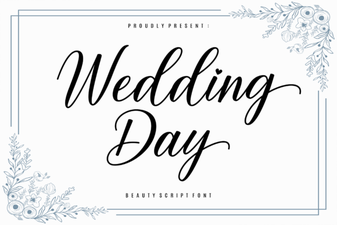 Beautiful Wedding Typography & Free Font Downloads